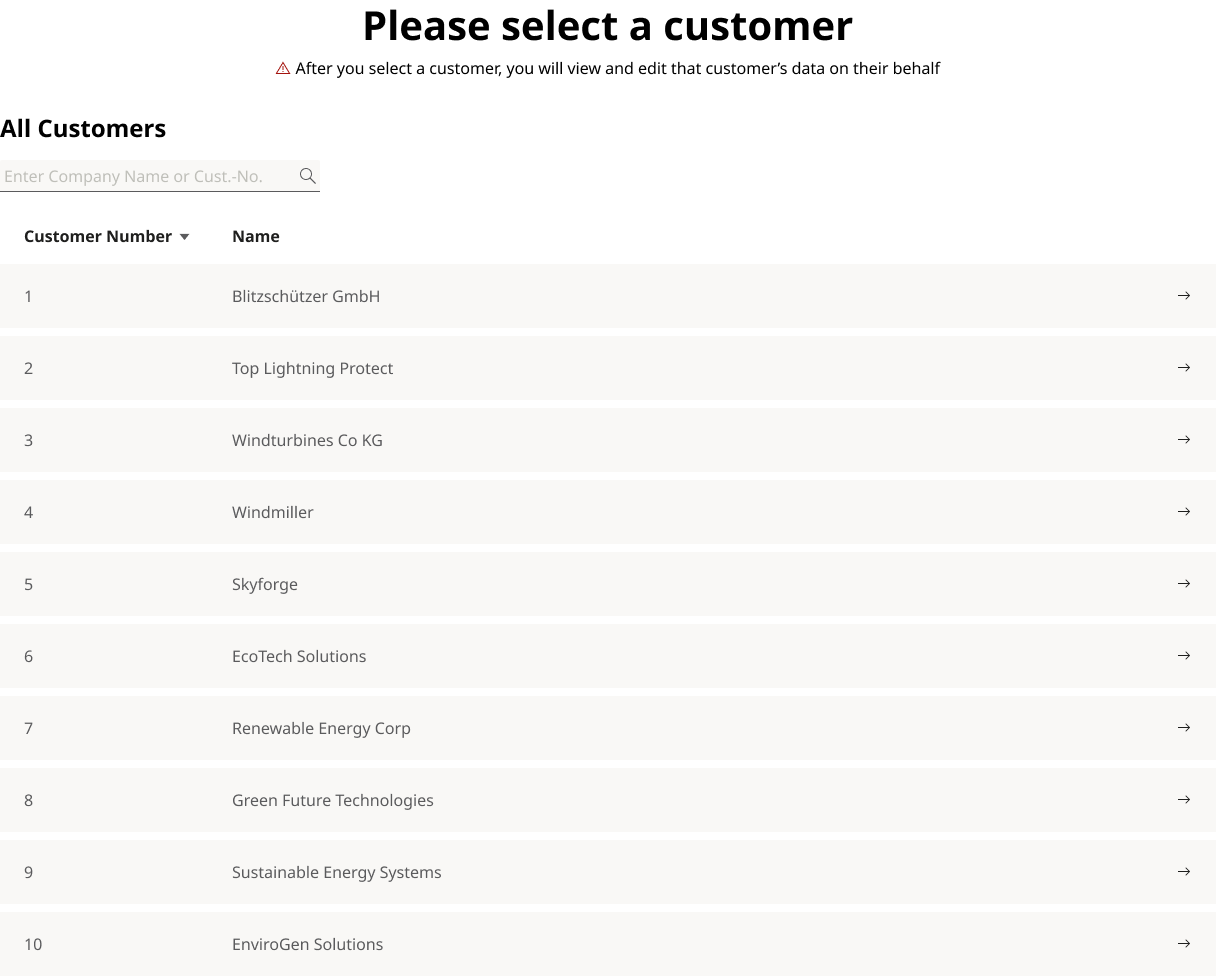
Customer Switcher
Description
The Customer Switcher lets an admin select which customer’s account they are currently configuring. It changes the target customer context for the admin tools that manage data. When a customer is selected, a persistent banner shows the active context (customer name and number) and offers the option to switch customers.
Use Cases
- Admins who manage settings or data for different customers.
- Support staff needing to quickly move between customers to review or update configurations.
Usage
Context Banner: Always visible while a customer is active. Shows customer name and number; truncate with ellipsis on narrow screens. It also displays a warning so that the editing users always knows that he's editing customer data.
Switching Customers: "Switch Customer" opens a customer list from which the admin can choose a user. List is searchable by customer number and partial name. Default sort by Customer Number ascending; allow Name A -> Z.
Selecting a Customer:
- Highlight rows with customer data on hover.
- Update the active context id used by admin tools.
- Close the list and return to the previous screen. Update Banner accordingly.
No Results: Show message “No customers found. Please try adjusting your search.”
Keyboard Navigation: From banner: Tab to Switch Customer. In list: Tab to search; Arrow Up/Down to move; Enter to select; Esc to close.
Loading: On first open and on each search, display a spinner in the list area.
Pagination: Fetch results in pages of 25. If more results exist, display a Load more button that appends the next 25; keep focus on the newly added items.
Example
Company Switcher

Company List